Features

Features

Every feature, included for everyone.

Free. All of it.

  • No paid tier
  • No account
  • No telemetry

Scaffold is in preview. The roadmap shows what is still in progress.

Planner

New in 0.2.0 ☀️ A calendar, a Today page and habits, built from plain notes.
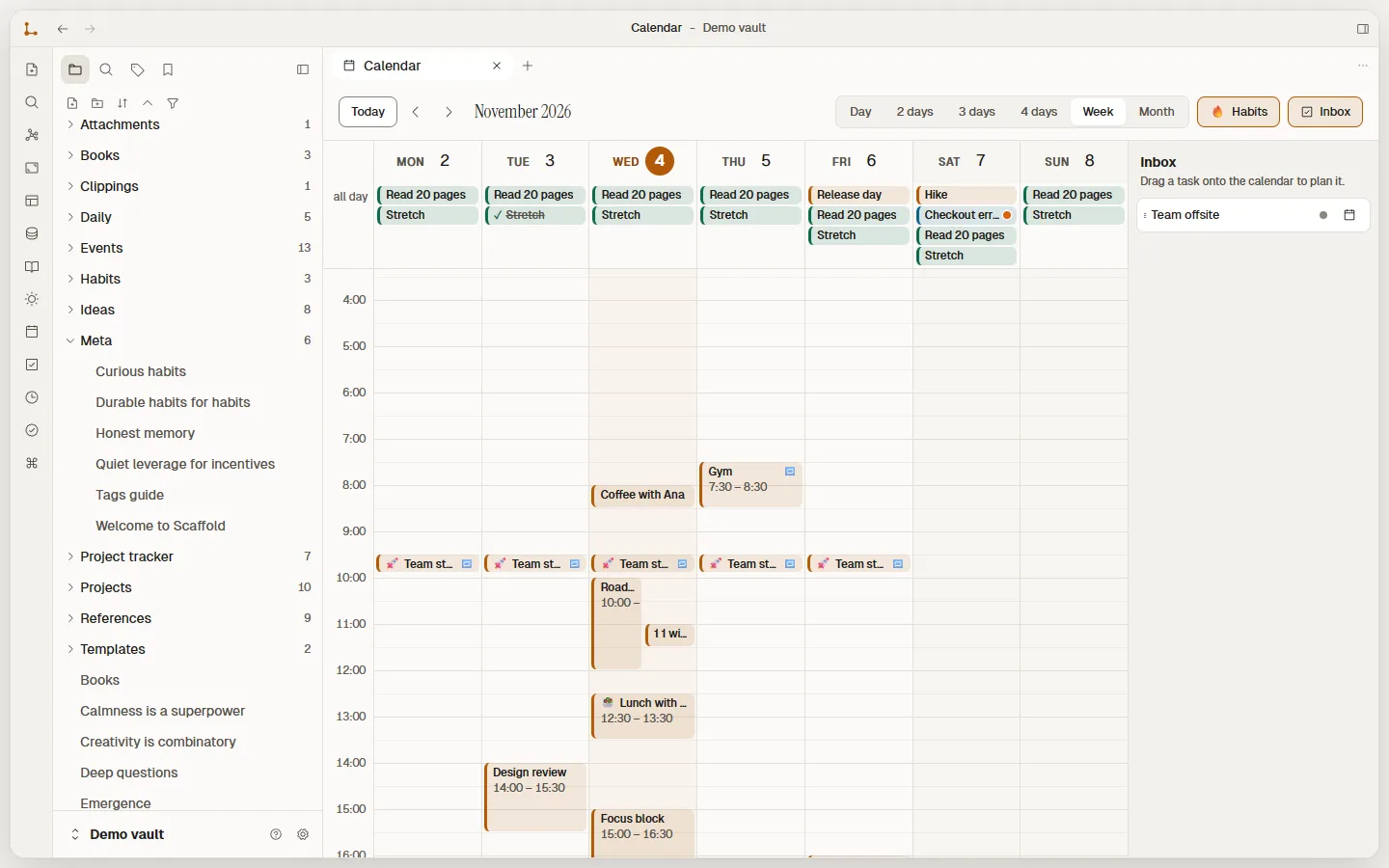
  • Day to Month views
  • Drag to create, move, resize
  • Join button
  • Repeating events
  • Habits with 🔥 streaks
  • Inbox
  • Linked notes, tags, subtasks
  • Emoji icons
  • .ics import

Plan your day

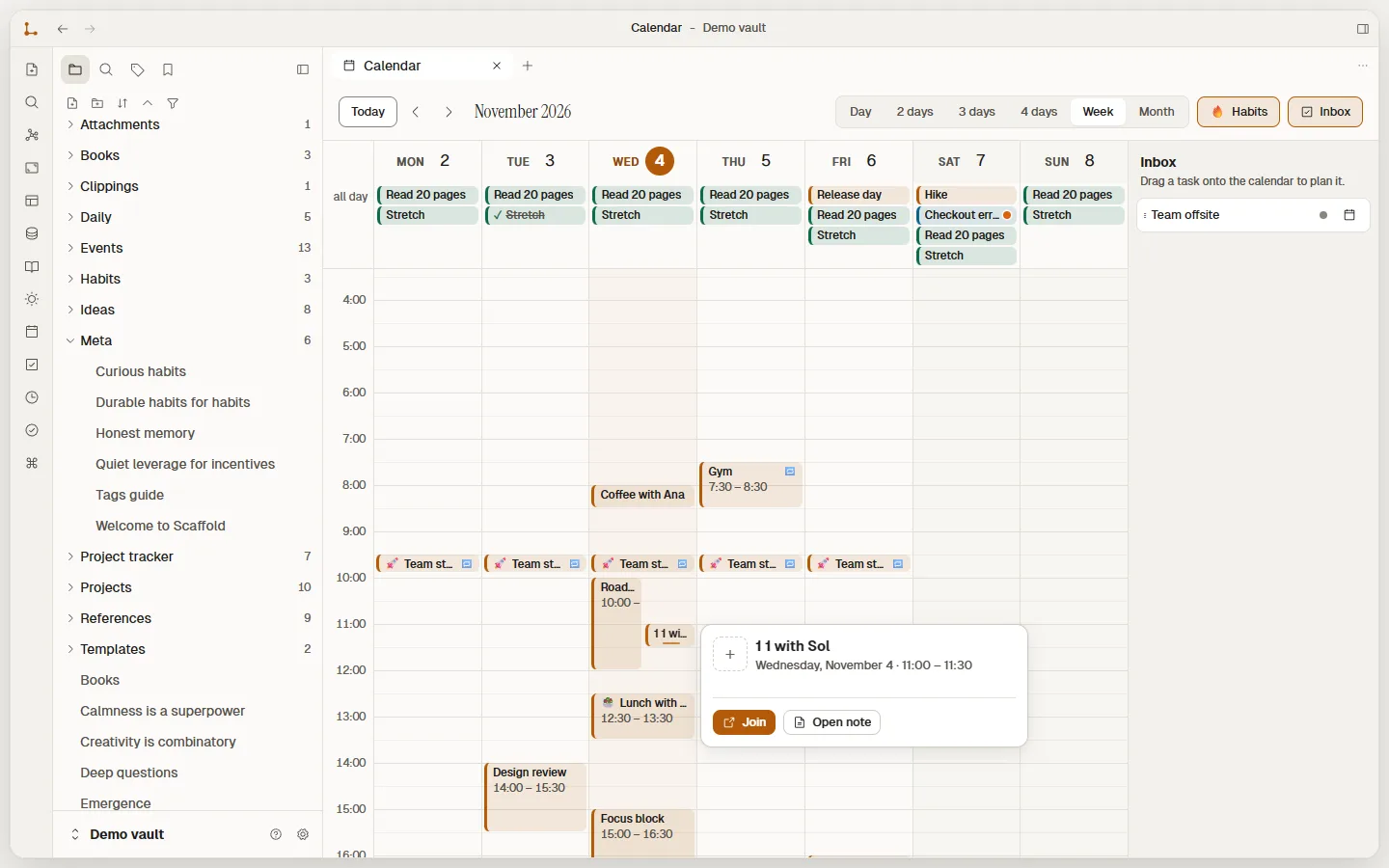
Scaffold calendar in Week view: habits such as Read 20 pages in the all-day row, a repeating Team standup every weekday, Coffee with Ana, Lunch with Rin and a Focus block, with the Inbox panel on the right.
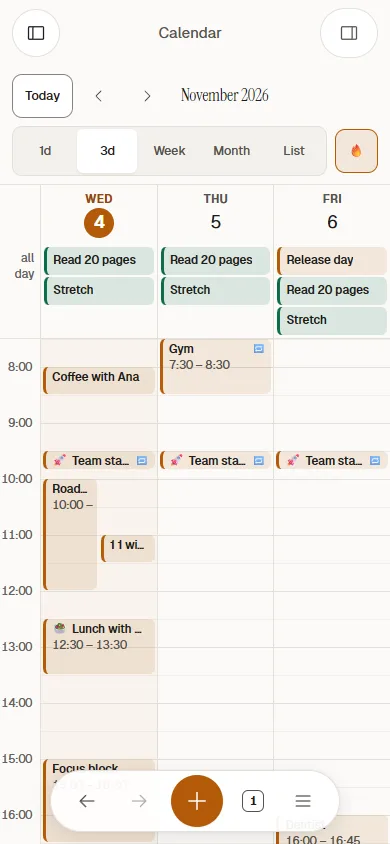
Scaffold on a phone: the calendar in the 3-day view, Wednesday to Friday, with habits at the top and timed events below.
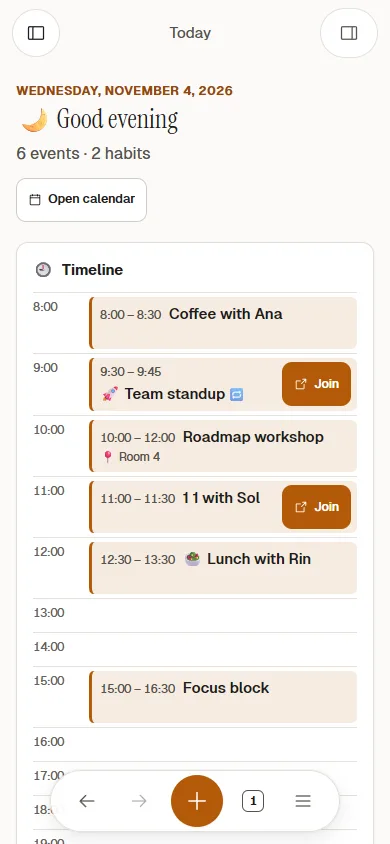
Scaffold on a phone: the Today page with the greeting and a timeline of the day, Team standup and 1:1 with Sol each showing a Join button.
Real screenshots: Scaffold 0.2.0, demo vault.
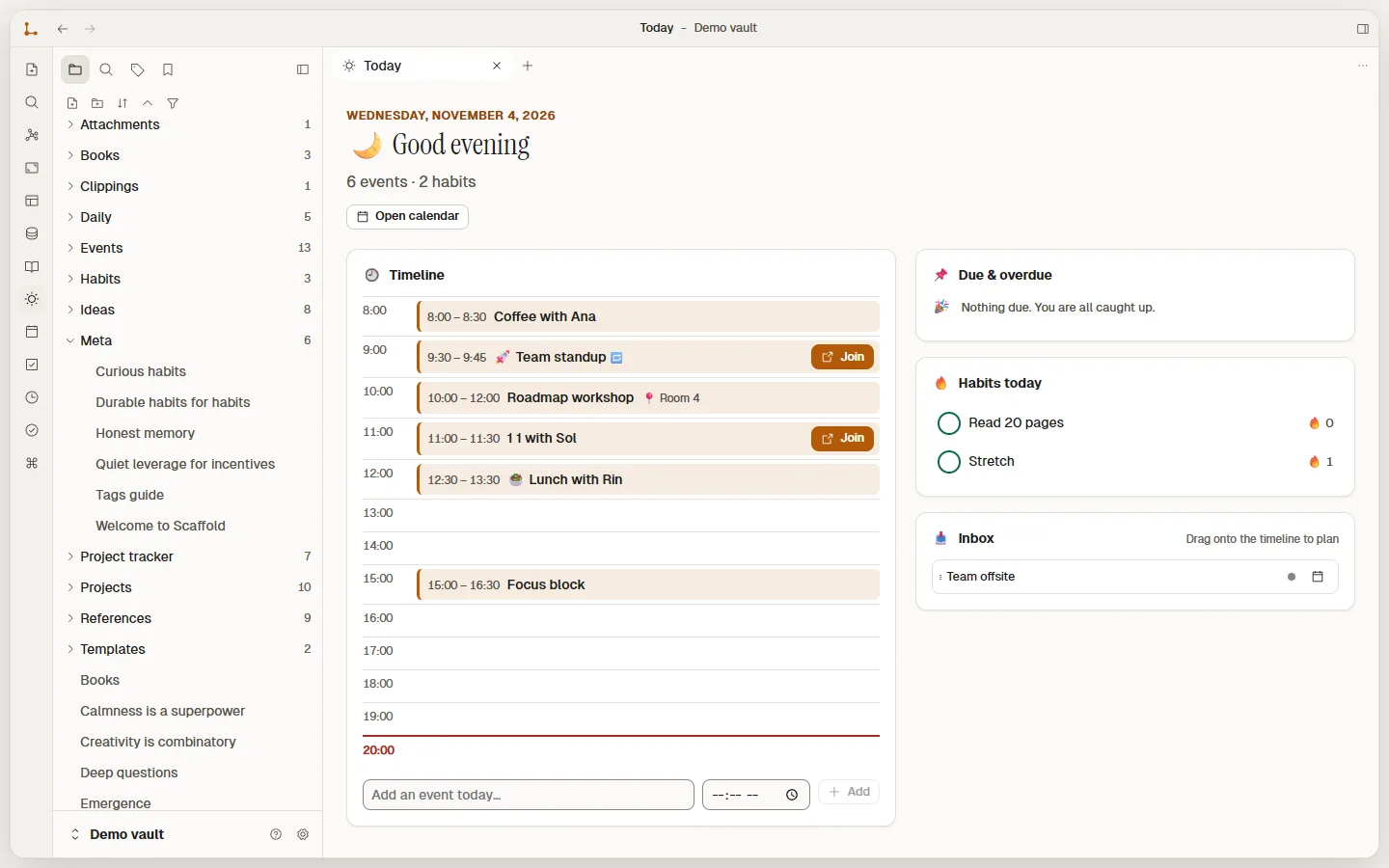
  • The Today page: the greeting Good evening, a timeline of the day with Join buttons on two meetings, a Due and overdue card, today's habits with flame streak counts, and the Inbox.
    ☀️ Today: a greeting, the timeline, due tasks and habits.
  • An event's details opened from the week view: 1:1 with Sol, Wednesday November 4, 11:00 to 11:30, with a Join button and an Open note button.
    🔗 Click an event for details and a Join button.
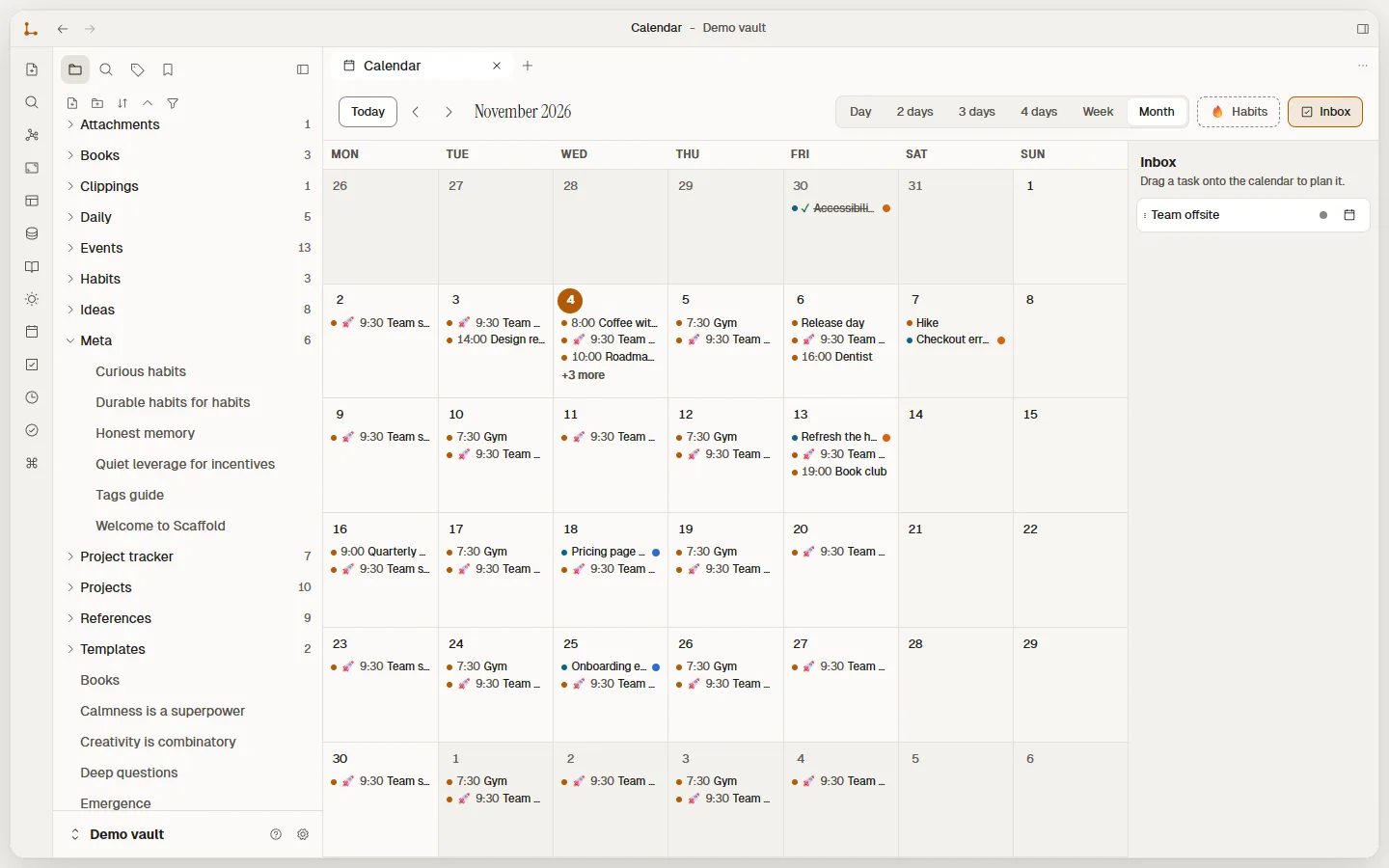
  • Scaffold calendar in Month view for November 2026, each day listing its events with their times and coloured priority dots.
    📅 Month view, with priority dots.

Reminders

A nudge before it starts 🔔 on Windows and Android, worked out on your device.

  • Desktop notifications
  • Android notifications
  • Snooze 10 min
  • Missed ones grouped
  • Opt-in on Android

Set a reminder

Write in Markdown

Formatting as you type, plain text underneath.

  • Live preview
  • Source mode
  • Reading mode
  • Tasks
  • Tables
  • Tabs & splits
  • Atomic saves

Getting started

Daily/2026-11-07.md
Editor mode
Field notes# Field notes
Met Ines at the Bike repair workshop on Saturday.Met **Ines** at the [[Bike repair workshop]] on Saturday.
Patch the blue bike- [x] Patch the blue bike
Ask about a spring session #community- [ ] Ask about a ==spring== session #community
Tip Bring spare inner tubes next time.> [!tip] Bring spare inner tubes next time.

In live preview, formatting renders as you type and only the line under your cursor shows its Markdown. Hover a line to peek at the syntax. The file on disk is always the plain text from Source.

Graph view

See the shape of what you know.

  • Global graph
  • Local graph
  • Filters
  • Colour groups
  • Touch

Graph view

Demo vault. Hover a note, drag it around.

Databases

A folder of notes, four ways to look at it.

  • Table
  • Board
  • Gallery
  • Calendar
  • Relations
  • No database file

Databases

Projects7 notes in Projects/

NameStatusDueOwnerTags
DoingNov 6Miradesign
IdeaNov 12Theocommunity
DoingNov 18Ineshomemoney
DoneNov 3Theooutdoors
IdeaNov 24Miraaudio
DoneNov 10Inescommunityoutdoors
DoingNov 27Miramoney
Projects/Garden journal redesign.md

            ---


            status: Doing


            due: 2026-11-06


            owner: Mira


            tags: [design]


            ---


            New layout for the seasonal planting notes.


Every row is an ordinary note in Projects/. Pick a row, card or date to see its file.

Template gallery

Ready-made templates, installed on your device in one step.

  • Projects
  • CRM
  • Habits
  • Meetings
  • Reading
  • Never overwrites

Template gallery

  • Work

    Project tracker

  • Work

    CRM

  • Work

    Meeting notes

  • Work

    Sprint planning

  • Work

    Bug tracker

  • Work

    Content calendar

  • Work

    Hiring pipeline

  • Personal

    Habit tracker

  • Personal

    Reading list

  • Personal

    Budget tracker

  • Personal

    Travel planner

  • Personal

    Goal tracker

  • Personal

    Recipe box

  • Planning

    OKRs

Rich blocks

More than paragraphs, still Markdown.

  • Toggles
  • Callouts
  • Click-to-load embeds
  • Note embeds

Rich blocks

Toggle

:::toggle Packing list
- Tent and pegs
- Stove, two gas canisters
:::
Packing list
  • Tent and pegs
  • Stove, two gas canisters

Callout

> [!tip] Before you leave
> Check the forecast for the ridge,
> not just the valley.

Before you leave

Check the forecast for the ridge, not just the valley.

Embed

:::embed https://video.example/watch?v=ridge
:::

video.example

Nothing loads until you click.

And everything else

  • Canvas

    An infinite board, saved as an open file.

    • Cards
    • Groups
    • Arrows
    • Undo
    Canvas
  • Properties and Bases

    Typed fields, only where you want them.

    • Text
    • Number
    • Date
    • Tags
    • Filter & sort
    Properties
  • Daily notes

    One key opens today.

    • Templates
    • Date variables
    • Previous & next
    Daily notes
  • Safe by design

    Every write path is conservative.

    • Atomic saves
    • Snapshots
    • Trash
    • Backups
    How vaults stay safe
  • Make it yours

    Your theme, accent, density and CSS.

    • Light & dark
    • Accents
    • Snippets
    • Hotkeys
    Themes and CSS
  • Plugins

    Every permission starts switched off.

    • Commands
    • Views
    • Opt-in
    • No store
    Plugins
  • Sync and publish

    Use the folder tools you already trust.

    • Any sync tool
    • Git
    • Static export
    • Import
    Sync your notes
  • In-app updates

    New versions install from inside the app. You choose if it checks.

    • Once a day, or on request
    • No personal data
    • No reinstall
    How updates work
  • Windows and Android

    A small per-user installer. Works offline.

    • Windows 10 & 11
    • No admin rights
    • Android preview
    Download